
Travelling in Japan Without Speaking Japanese: Practical Strategies
Use clear details, a few useful phrases and a fallback that works when your phone does not.
- Stations, menus and check-ins
- Offline and paper fallback
- Help for important conversations
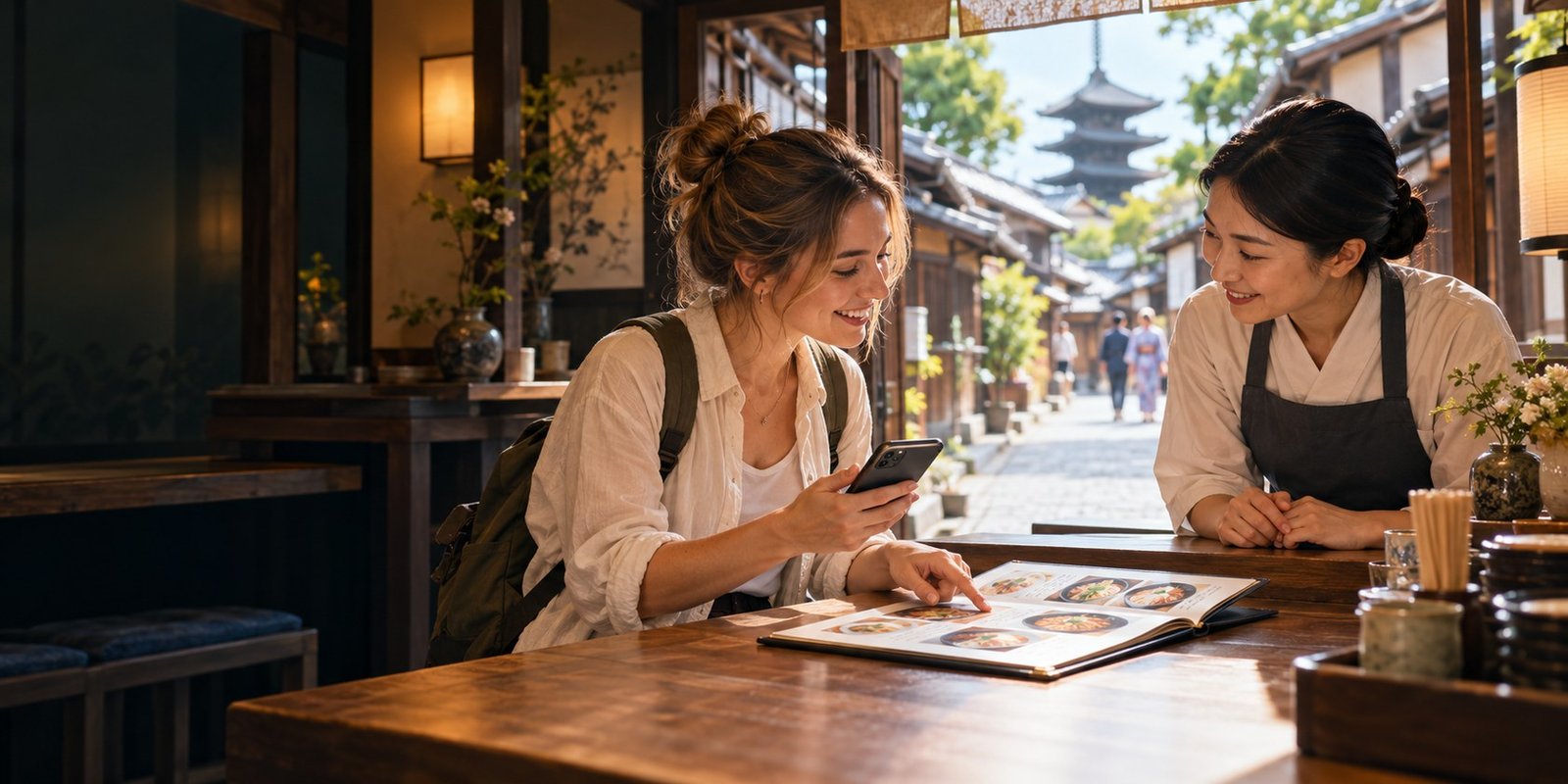
AI-generated editorial illustration with fictional people and an imagined café; no app’s translation performance or actual encounter is represented.
Travelling in Japan without conversational Japanese is a workable plan for many independent visitors. The preparation that helps most is practical: knowing exactly where you are going, keeping details you can show, and having another way to communicate when a conversation stalls.
Useful support exists, including Tokyo Metro’s letter-and-number station system and JNTO’s basic phrase guidance. [1] [2] Prepare for the actual situations in your trip instead of relying on English being available wherever you happen to need it.
Show the detail
Use the actual Japanese address, booking or menu item.
Ask one question
Keep a request short and confirm the answer.
Prepare a fallback
Keep essentials available without mobile data or one working phone.
Know when to get help
Health and safety need more than a plausible translation.
Choose a communication method for the situation
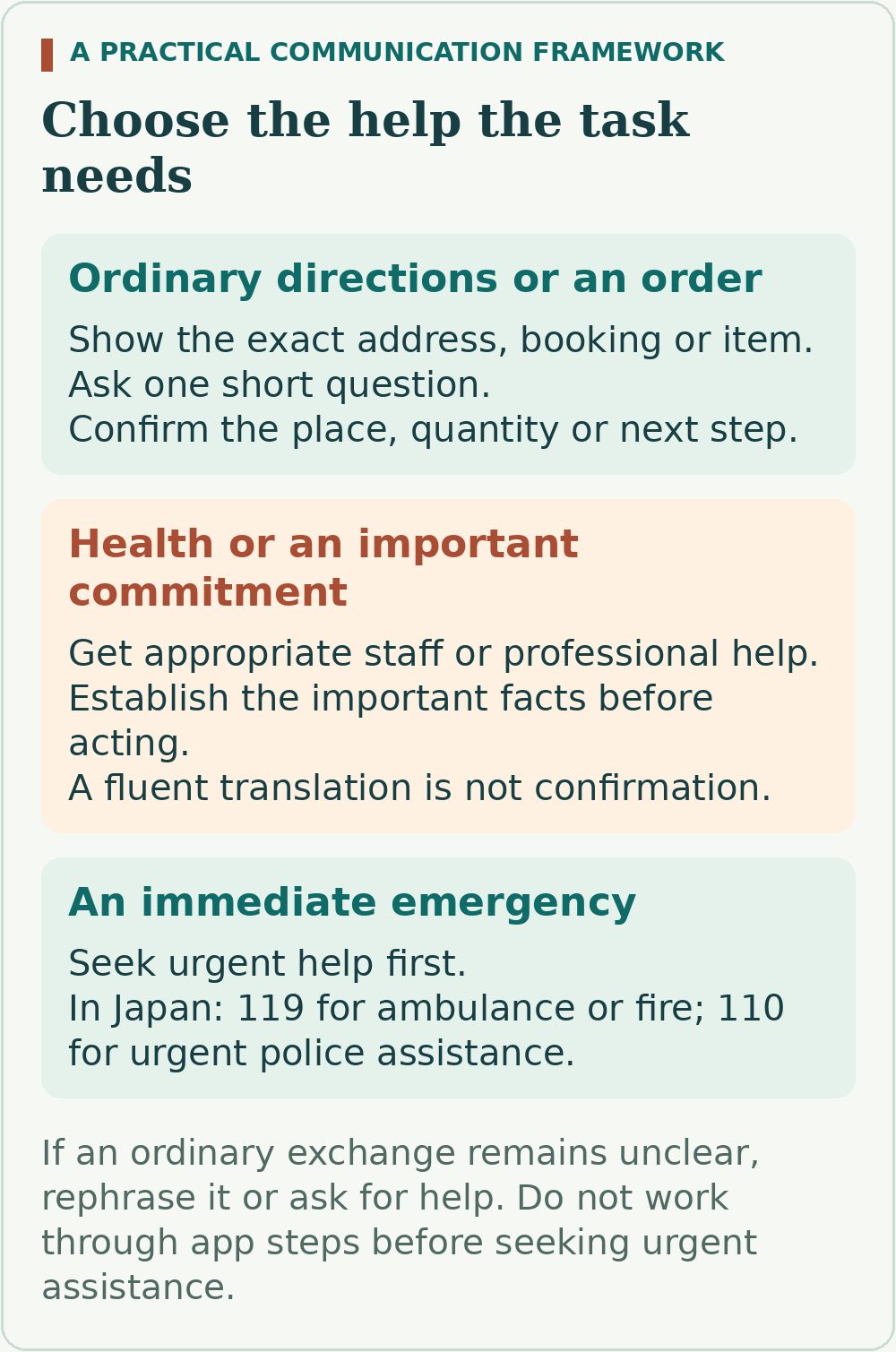
The useful question is what you need to establish and what would happen if you misunderstood. This original framework separates ordinary travel tasks from decisions that need stronger confirmation.
| Situation | Start with | Confirm before acting |
|---|---|---|
| Finding a hotel or station | Show its Japanese name, full address or route screen. | The exact destination or branch, then the next direction. |
| Ordering a meal without dietary restrictions | Point to the item or photo; use a short written question if needed. | The quantity, option and displayed price. |
| A check-in or changed booking | Show the confirmation and explain one issue at a time. | The dates, people, room or service and any extra charge. |
| An allergy, medical problem or important contract | Seek staff or professional help suited to that decision. | That the important facts have been understood; do not treat machine output as assurance. |
Move out of a queue or busy doorway when you need a longer exchange. Start with a polite greeting, show a relevant detail and give the other person time to respond. Repeating a long English sentence more loudly rarely solves the missing information.
Prepare a small communication pack before leaving
Create one readily accessible place for the details you will need to show. Copy names and addresses from the accommodation or operator’s own confirmation, rather than asking a translation app to invent the Japanese version of a proper name.
- Accommodation: the exact property name and street address in Japanese, telephone number and map location.
- Reservations: confirmation numbers, names, dates, times and any instructions for reaching the entrance.
- Journeys: the departure and arrival stations, operator or line, required changes and the exit useful for your destination.
- Personal essentials: the contact details and accurate communication information you may need if unwell or separated from your group.
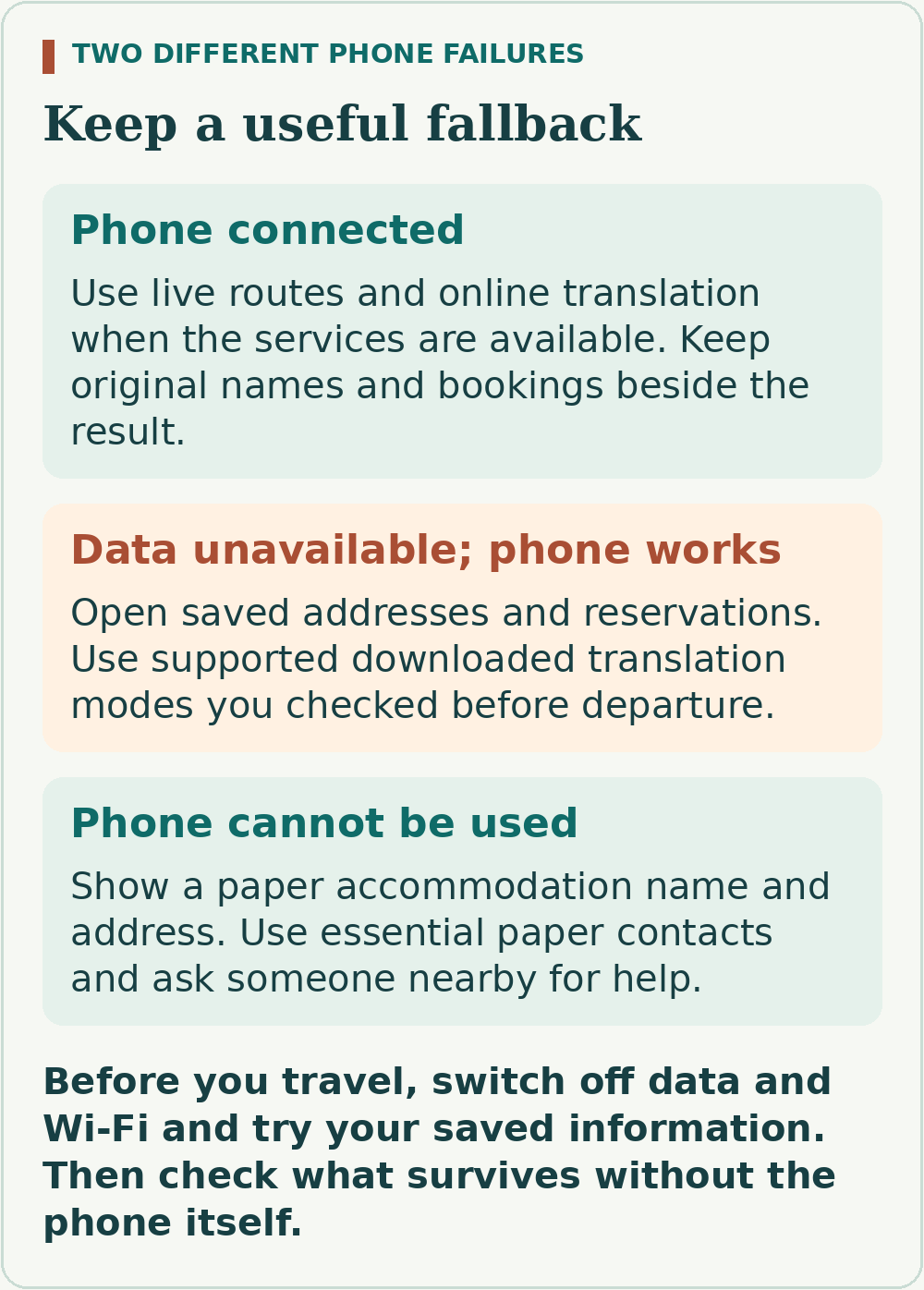
Save documents or screenshots to the device itself and check that you can open them without a connection. Keep your first accommodation’s details and essential contacts on paper too. A link stored in a note may still need the internet to reveal its contents.
Practise the failure you want the backup to cover
Before departure, disconnect mobile data and Wi-Fi and try opening the saved address, a reservation and a short translation. Then consider the separate case of a flat, lost or damaged phone: which paper detail would let someone help you reach your accommodation?
Use translation apps for short, specific exchanges
Google Translate supports downloaded languages for offline use. Its Android guidance explains the download process; the iPhone and iPad camera guidance says to download the languages you want to translate to and from. Follow the instructions for your device and check that the English–Japanese functions you intend to use actually work offline. [3] [4]
For a written request, use one plain sentence with an explicit subject. “Where is the entrance for this booking?” is easier to check than a paragraph about how you became lost. Keep times, dates, quantities and place names visible alongside the translation.
Camera translation and conversation serve different tasks
Camera translation helps inspect printed text, but Google warns that small, unclear or stylised lettering can reduce accuracy. Check the selected languages, improve the view of the text and show the original to staff when the result remains unclear. [4]
VoiceTra, developed by Japan’s NICT, is designed for travel conversations one sentence at a time. New speech translations need an internet connection. Its guidance also warns that some place names may not be recognised. Use the current app version and check the displayed meaning before continuing a conversation. [5]
If you already have VoiceTra installed, update it through its official app-store listing before travel. NICT resumed the service after releasing an update for a security issue in August 2026; an old installation should not be treated as ready simply because it still appears on your phone. [6]
For any app, check the key details in the reply: which place, which date, how many and what action comes next. A translation that sounds fluent can still leave those details unresolved. When the answer does not fit, shorten or rephrase the question and ask again.
Navigate with names, numbers and the actual booking
Tokyo Metro’s station numbers combine a letter for the line with a number for the station. This gives you another way to match a route and sign without reading the full Japanese name. Use the operator’s map for the system you are travelling on; do not assume that every railway uses identical codes. [2]
- Check the station, operator or line and destination shown in your route or ticket.
- At a station, match the direction of travel and the relevant platform information.
- For a reserved train, compare the train details, date, departure time, carriage and seat with the confirmation.
- At the destination, check the exit that best matches the address you need.
If unsure, show a member of staff the booking or route and ask one question: “Is this the platform for this train?” or “Which exit is nearest this address?” A saved booking identifies what you bought; it does not guarantee that a platform or service has not changed.
For a taxi, show the accommodation’s Japanese name and full address together. An English place name by itself may refer to more than one branch or nearby location. Keep the map point as supporting information, especially if the entrance has its own access instructions.
Handle menus and dietary needs differently
For an ordinary order, an item number, photograph or menu entry can be enough to begin. Point to the item, indicate how many and confirm any options or additions. If using camera translation, retain the original wording so that staff can see what you mean.
For allergies, establish what the kitchen can confirm
Japan’s Consumer Affairs Agency provides a Food Allergy Communication Sheet in English and Japanese. It lets visitors identify allergens and ask about ingredients, including small amounts. It also raises cross-contact during preparation, such as shared utensils or frying oil. [7]
Use an accurate allergy card that fits your needs, and show it before ordering. The agency’s sheet helps structure the conversation; it does not certify a dish as safe. Ask staff to check with the kitchen. If the important information cannot be established, choose another option rather than interpreting a smile, a guessed translation or an omitted menu ingredient as confirmation.
For vegetarian, vegan or religious requirements, state the actual ingredients or preparation rules you need checked. Ask about stocks, sauces and garnishes as well as the main item. If the requirement is essential to you, confirm it before travelling to a restaurant or reserving a meal.
Confirm important arrangements before reaching the counter
Contact a property or activity provider ahead of time when your plans depend on something that could be difficult to establish on arrival: an unusual check-in time, a dietary requirement, an access need or a change to a booking.
Keep the enquiry short and easy to answer. For example: “My booking is for two people on 18 May. We expect to arrive at 20:30. Is check-in available then?” This is an illustrative question, not a statement about any property’s hours.
Read the reply against the exact question and keep it with the confirmation. If it answers only part of the request, clarify the remaining point before paying a non-refundable balance. In a phone-only situation, ask your accommodation or a visitor information centre whether someone can help make the enquiry; availability of that help must be confirmed.
For remote stops or a sequence of small businesses, do more of this work in advance. The goal is to arrive with useful names, directions and agreed arrangements, while still allowing time for questions. Build those stops into the wider route using the first-trip planning guide.
Arrange data, then keep a few phrases ready
Choose mobile connectivity around the online tools you expect to use. Compare your UK provider’s Japan roaming terms with a suitable travel SIM or eSIM and any other option you are considering. Check allowance, validity, activation conditions, coverage and the full cost.
Airalo is one option to include in that comparison. Its Japan store offers data packages, and its compatibility guidance requires an eSIM-capable device without carrier restrictions. Check your exact device and the selected package before purchase. [9] [10]
Browse the Airalo eSIM store and select Japan to inspect the available options.
Also plan how you would make a normal telephone call. Airalo explains that data-only plans do not include ordinary calls or SMS, although internet messaging apps can use data. [11] Do not assume that a working map or messaging app means you can dial your hotel, insurer or a visitor hotline. Check your voice-call arrangement separately.
Four useful starting phrases
| Use | Japanese in Roman letters | Meaning |
|---|---|---|
| Get attention politely | Sumimasen | Excuse me |
| Thank someone | Arigatou | Thank you |
| Explain a difficulty | Wakarimasen | I don’t understand |
| Ask about a location | Doko desuka? | Where is it? |
Pair the location question with the name or address you are showing. These basic phrases open a conversation; they do not replace the details of what you need. JNTO links a fuller language handbook from its language guidance page. [1]
Know which number to use when you need help
JNTO’s Japan Visitor Hotline provides tourist information and assistance with accidents, illness, emergencies and natural disasters. It operates 24 hours a day, 365 days a year, with support in English, Chinese and Korean. [8]
| Need | Number |
|---|---|
| Ambulance or fire emergency in Japan | 119 |
| Urgent police assistance in Japan | 110 |
| Japan Visitor Hotline from within Japan | 050-3816-2787 |
| Japan Visitor Hotline in international format | +81-50-3816-2787 |
The emergency numbers and hotline serve different purposes. In an immediate emergency, use the appropriate emergency number. If you cannot make the call, seek help from someone nearby. Show your location and explain what has happened as clearly as possible. [8]
For medical treatment or an insurance decision, ask the relevant service what interpretation or English-language support it can arrange. Keep the insurer’s own assistance contact accessible too. The visitor hotline is useful assistance; it is not the insurer’s claims team or a guarantee of a particular interpreter.
Make the decision that fits your trip
Before leaving, open your first hotel’s Japanese address offline, find one booking without a network and practise a short translated exchange. Keep the paper details that would still help if the phone failed. During the trip, show specifics, ask one question and confirm the answer; seek suitable human help when the consequences of a misunderstanding are significant.
How this guide was researched
Karen Taylor reviewed official tourism, transport, app-provider and Consumer Affairs Agency guidance on 17 October 2026. The communication framework and phone-failure comparison are original planning tools, not results of a field test or an assessment of translation accuracy.
App functions, device support and telecoms terms can change. Check current instructions on your own device. The allergy sheet supports communication and is not personalised medical advice or verification of any restaurant.
Sources
Official guidance and operator information reviewed on 17 October 2026. Recheck time-sensitive details for your own travel dates.
- JNTO — Japanese language guidance
- Tokyo Metro — Subway map and station numbers
- Google Translate — Download languages for offline use on Android
- Google Translate — Translate images on iPhone and iPad
- NICT — VoiceTra frequently asked questions
- NICT — VoiceTra updated version and service resumption, August 2026
- Consumer Affairs Agency — Food Allergy Communication Sheet (English and Japanese)
- JNTO — Japan Visitor Hotline and emergency numbers
- Airalo — Device compatibility
- Airalo — Japan eSIM options
- Airalo — Calls, texts and data-only plans
Illustrations in this article were created for Taylor’s Trailblazing Travels. Third-party photographs, where used, are credited beside the image or in the source list.