Travel essentials / Internet and connectivity
Thailand Wi-Fi and Internet Guide
Build a connection that works for your journey, not just an impressive speed-test screenshot.
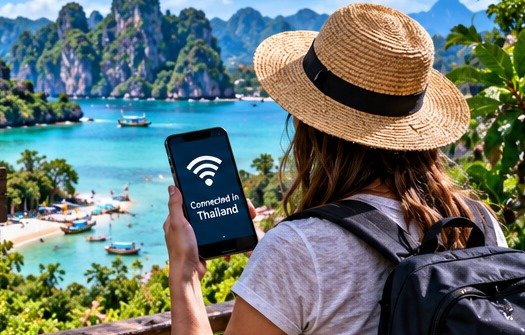
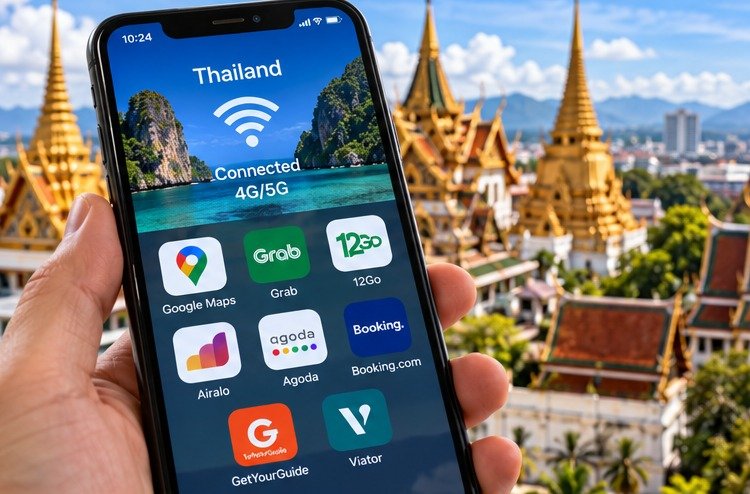
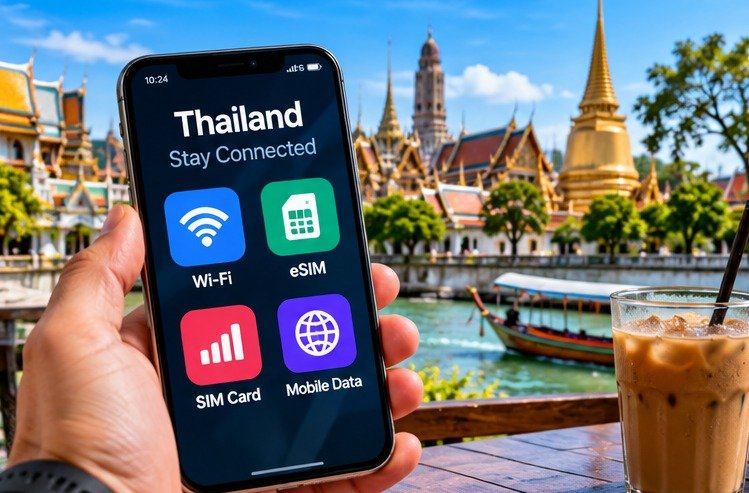
Original connectivity concept. Screens and icons are illustrative, not real app interfaces, coverage tests or a promise of service availability.
A Thailand Wi-Fi and internet guide should answer a more useful question than which network advertises the fastest speed: will you be able to do the thing you need, in the place where you need to do it? A hotel connection that opens a restaurant menu may still struggle with a work call. Meanwhile, excellent mobile reception outside the property tells you very little about the signal beside your bed.
For a normal holiday, the simplest arrangement is usually mobile data for journeys and everyday navigation, with accommodation Wi-Fi for larger downloads. However, a working trip needs a second, genuinely independent connection and somewhere suitable to use it. Two differently branded travel eSIMs are not independent backups when both rely on the same local network.
This guide compares connection types by practical use rather than commission, advertised headline speed or an invented nationwide test. It draws on operator terms and official device guidance; the data budgets and troubleshooting order are research-led planning suggestions. Nobody has measured every Thai hotel or claimed that one SIM works on every island. Start with the tasks your trip depends on, then buy only the connectivity and accessories needed to support them.
Best everyday setup
Mobile plus room Wi-Fi
Keep each connection useful for a different job.
Work priority
Test in the actual room
A lobby speed figure is not a meeting guarantee.
Buying check
Read the package terms
Activation, hotspot use and validity all matter.
Essential backup
Save the first journey
Keep addresses and issued tickets offline.
Thailand Wi-Fi and internet: choose by the job
Match the connection to the consequence of failure
Booking tomorrow’s lunch and delivering a paid presentation are different requirements. For ordinary sightseeing, a short interruption is inconvenient but often manageable with a saved address. For a scheduled interview, the same interruption could be costly. Therefore, write down the three tasks that genuinely must work before choosing a plan or room.
A couple sharing a phone hotspot might manage browsing quite happily, but the arrangement becomes awkward when one person goes out with the connected phone. Similarly, unlimited data does not automatically make a device suitable for tethering all day. Battery life, heat, charging opportunities and the plan’s terms remain part of the decision.
Compare systems rather than slogans
The comparison below is a planning framework, not a measured ranking. A good choice is the least complicated arrangement that meets your needs without a single obvious failure point. Someone staying in one city needs a different backup from someone moving through remote coastlines and mountain roads.
| Connection | Strongest practical use | Main limitation | Check before relying on it |
|---|---|---|---|
| Accommodation Wi-Fi | Larger downloads and evening browsing | Room-specific signal and shared capacity | Test in the actual room |
| Local SIM or eSIM | Everyday navigation and travel | Device compatibility and local coverage | Allowance, activation and support |
| Travel eSIM | Preparing data before arrival | Plan-specific features and roaming setup | Supported network and hotspot rules |
| Home-network roaming | Keeping familiar support | Home-provider price and allowances | Thailand inclusion and spending limits |
| Dedicated mobile router | Sharing a connection between devices | Another battery, device and subscription | SIM compatibility and permitted tethering |
Understand what the Wi-Fi symbol really tells you
The local link is not the whole journey
Wi-Fi connects your device to a nearby access point; that access point still needs a working route to the internet. Consequently, a strong Wi-Fi icon is compatible with a slow or unavailable internet connection. Treat the icon as evidence of the local link, not proof that the hotel can support your work.
You can make a useful first comparison without technical equipment. Open the same ordinary website on hotel Wi-Fi and then on mobile data. Next, try another website. When every site fails on one connection but works on the other, the problem is less likely to be the individual website. When only one app fails, changing hotels is a premature solution.
Ask a question the property can answer
Instead of asking whether the Wi-Fi is good, describe your need: a private video call from the room at a particular local time, or uploading a large file. Ask whether the reply concerns that room category or only the reception area. A recent in-room test is more useful than a promotional speed figure with no location attached.
Keep the answer with your booking correspondence. It does not create a service guarantee unless the property expressly agrees to one, but it makes any later discussion more specific and less frustrating.
Local SIMs, travel eSIMs and home roaming
An eSIM is a format, not a quality score
Both local operators and travel providers can sell eSIMs. The fact that a plan is digital does not tell you its speed, priority, local telephone-number support or underlying network. Likewise, a physical SIM is not inherently slow. Compare the actual package instead of treating the format as a performance ranking.
Check the exact handset model, purchase region and carrier lock. Airalo’s compatibility information includes regional exceptions, so recognising your phone family on a list is not enough. A phone can support eSIM technology yet still be locked against another provider. Resolve this with the manufacturer or home carrier before payment. [1]
Choose the support route you prefer
A local operator shop can be helpful when you want someone to activate and test the service with you. A travel eSIM is useful when preparing digitally before departure matters more. Home roaming may suit a short visit when an existing package already covers Thailand, but verify that inclusion directly rather than assuming European arrangements apply.
Read the tariff before comparing the price
A dated example, not a permanent offer
On 5 October 2026, True’s tourist page advertised Infinite packages at THB499 for eight days, THB699 for 15 days and THB1,199 for 30 days, including VAT. Those are specific advertised examples, not the lowest prices available in Thailand or quotes for your arrival date. The same page contains other packages and some differing FAQ wording, so confirm the chosen tariff at checkout rather than mixing details. [2]
AIS also publishes tourist packages with their own inclusions. Compare validity, calling allowances, permitted usage and current conditions rather than assuming similar-looking packages are identical. Avoid copying a provider’s fastest-network marketing into a personal guarantee about your hotel room. [3]
Work out the whole-trip fit
A 15-day package can be convenient for a two-week holiday, yet timing still matters when arrival, activation and departure fall on different calendar days. For example, a late-night activation before a long final travel day deserves checking against the provider’s exact validity definition.
Calculate the total cost of the plans you would actually need, including any top-up or extension. A cheap first package that cannot be extended conveniently may be less useful than a slightly dearer arrangement with clear support. However, do not pay for a long validity period merely because the daily arithmetic looks attractive when you will leave earlier.
Registration, activation and the first connection
Use the legitimate registration process
True-dtac’s tourist terms require registration with a valid passport. Use an official operator channel or a properly identified seller, and understand which provider is receiving your details. Avoid sending passport images into an unexplained messaging conversation simply because someone promises to activate a bargain SIM. [2]
Before leaving a staffed counter, turn Wi-Fi off and test an ordinary webpage using the newly installed mobile line. Then check a relevant app and, when calls are included, the supplied number. A working connection while still attached to airport Wi-Fi does not demonstrate that the SIM is ready.
Installation can start the clock
Airalo explains that most plans activate on a supported destination network, but some can activate during installation. Therefore, check the plan-specific activation policy before installing weeks early. Save the instructions and support details somewhere accessible without the plan being online. [4]
Do not repeatedly delete and reinstall a travel eSIM as a first troubleshooting step. Reinstallation possibilities differ, and removing the profile can complicate support. Instead, preserve the order reference, note the error and follow the provider’s instructions for that exact purchase.
Dual-SIM settings without an accidental bill
Give each line a clear purpose
Name your lines something recognisable, such as Home and Thailand Data. Choose the intended travel line for mobile data, then check the home provider’s roaming settings and charges. Keeping a home number available for messages is not the same as allowing that line to carry all your data.
Apple’s Dual SIM guidance distinguishes the default voice line, the data line and data switching. Menu wording differs by device and software, so follow current manufacturer instructions rather than a screenshot from an unrelated model. Automatic switching deserves particular attention when protecting against home-network data charges. [5]
Do a controlled test on arrival
After selecting the travel line, load a small webpage with Wi-Fi disabled. Look at which line reports the usage, then test the app you expect to use for transport. This is a better first task than starting a large photo backup and hoping the right SIM is active.
Some travel eSIM instructions require roaming to be enabled on that travel line. That does not mean you should enable it indiscriminately on the home line too. Follow the purchased plan’s connection instructions, including its APN settings when specified, and keep a screenshot of the final configuration for later reference.
How much data should you plan for?
Use your own behaviour as the starting point
The most informative number is often in your existing phone’s usage history. Examine which apps consumed data during a comparable week. Then adjust for the holiday: more navigation and messaging, perhaps less office use, but potentially far more video, photo backup and tethering.
A planning allowance of 0.5GB a day for 14 days produces 7GB by simple multiplication. Adding a deliberately chosen 3GB reserve produces a 10GB working budget. This is an illustrative budget, not a measurement of what a typical traveller uses. Someone uploading video or using a laptop could exceed it quickly; someone mostly offline could use much less.
A shared-trip example
Consider two adults planning separately. If one chooses a hypothetical allowance of 0.25GB a day and the other 0.75GB, their 14-day budgets are 3.5GB and 10.5GB before reserves. These are chosen inputs, not typical-use statistics. A shared 14GB allowance would match the arithmetic, but it would not solve the problem of both people needing connectivity while apart.
This is why the cheapest combined allowance is not always the best arrangement. Decide whether each person needs independent maps, messaging and access to bookings, then compare suitable individual plans or a shared option. Keep an agreed reserve for unexpected usage rather than assuming both people will follow an identical daily pattern.
After the first few days, inspect actual usage and revise the estimate. Someone taking many videos may discover that automatic uploads, not navigation, are the main demand. Adjusting those settings can be more useful than immediately purchasing another large package without understanding where the data went.
Keep large transfers intentional
Disable unwanted cloud uploads over mobile data, download entertainment before travel and check whether app updates can wait for a connection you trust. However, avoid turning off every background permission indiscriminately: navigation, messaging and authentication may need the settings you just disabled.
Hotel Wi-Fi: book the room, not the lobby
Inspect evidence that relates to your stay
Read recent reviews for mentions of in-room connectivity, noise, power interruptions and the working environment. A property with a beautiful communal terrace may still be unsuitable for confidential calls. Conversely, a simple room with a usable desk and a dependable connection can be more valuable than a fashionable coworking image.
Use Bangkok accommodation listings on Booking.com to shortlist locations, then ask the property about the specific room and relevant times. A booking site’s Wi-Fi amenity label is a starting point, not an independently measured guarantee of speed or availability.
Keep a short first commitment when work is critical
For a longer working stay, consider booking an initial period that lets you assess the room before extending, subject to availability and cancellation terms. This trades some price certainty for the ability to test the arrangement. It will not suit every busy holiday period, so compare the downside before choosing it.
You can also compare Chiang Mai accommodation on Agoda for a different shortlist. Neither platform should replace a written question to the property. Ask about sockets beside the desk, privacy and daytime noise at the same time: a perfect speed test cannot fix an unusable place to sit.
A practical room test for video calls
Test the work, not just a download number
A speed test can be informative, but an actual call reveals problems that a headline download figure may not. Make a short trial call, share the screen when that is part of your work, and upload a representative non-confidential file. Repeat at the time of day when the connection will matter.
Download speed, upload speed, delay and stability are separate considerations. A brief high-speed result does not guarantee that the next hour will stay stable. Therefore, record what happened during the task: frozen audio, dropped connections, a stalled upload or no problem at all.
Prepare a switch before the meeting starts
Check that your backup can connect the laptop, then practise changing over. Keep the meeting link available on the phone as well, where appropriate, and tell the organiser how to reach you if the main connection drops. These are ordinary contingency steps, not a reason to purchase several expensive plans.
When a property confirms that a usable Ethernet socket is available, a compatible USB Ethernet adaptor may remove the wireless link from the test. It will not repair a failing upstream connection, and buying one without checking the room’s facilities can add weight without solving anything.
Cafes, airports and public hotspots
Confirm the network with the venue
Use the network name supplied by staff or official signage rather than choosing whichever familiar-looking name appears first. Captive portals can require a browser sign-in before other apps work. Complete only the legitimate steps needed to connect, and be suspicious of demands to install an unexplained profile or certificate.
When a portal will not open, ask staff for the normal process. Do not bypass a browser certificate warning simply to get online. An accessible mobile-data connection is a useful alternative while the venue resolves its own network problem.
Pay attention to shared-space etiquette
A cafe purchase does not necessarily include hours of video calls, socket use or a private working area. Ask about the venue’s policy before settling in, use headphones and avoid discussing confidential matters within earshot. A quieter table may matter more than the most photogenic view.
Security without the VPN scare story
Encryption and trust are different questions
The US Federal Trade Commission explains that widespread website encryption has made public Wi-Fi use generally safer than it once was. HTTPS protects information travelling to a website, but an encrypted fraudulent site can still steal information you willingly submit. Check the address and the purpose of the request, not merely the presence of a lock symbol. [7]
Keep devices updated, use strong unique passwords and enable suitable account protection before departure. Those habits remain useful on hotel Wi-Fi, mobile data and at home. A travel connection is not a reason to relax payment checks or install a support app from an unexpected message.
Know what a VPN can and cannot do
A VPN protects traffic routed through its tunnel; it is not a cure for phishing, compromised accounts or every device problem. The UK’s NCSC also notes that forced VPN connections can interact awkwardly with captive portals. On a work device, follow your employer’s instructions rather than replacing its security setup with a consumer app. [8]
There is no need to buy a subscription merely because a travel blog says all public Wi-Fi is dangerous. Choose any additional service for a defined need and verified terms, while keeping ordinary browser and account protections in place.
Prepare the information that must work offline
Save the small things that unblock a journey
Keep the accommodation name, address in Thai where available, telephone number, booking reference and arrival instructions in an offline note. Add the meeting point for transfers and any ticket file the operator requires. Share essential information between travelling companions without exposing passport copies or payment details unnecessarily.
Google Maps allows downloaded areas, but its offline mode does not provide public-transport, cycling or walking directions. The entire route also needs to be inside the saved area for supported offline navigation. A downloaded map is therefore useful, but it is not a replacement for every live feature. [9]
Preserve the actual transport instructions
A screenshot of a search result is not the same as a confirmed ticket. For journeys arranged through 12Go’s Thailand transport listings, retain the issued confirmation and read the operator’s collection, check-in and boarding requirements. The purpose of saving it is to make those instructions available when the connection disappears.
Before departure, open the saved material with mobile data and Wi-Fi switched off. That simple rehearsal catches files that were only available inside an app session or a cloud folder, rather than actually stored on the device.
Power, heat and rain are connectivity problems too
Keep the essential kit small
A working connection is not useful on a flat phone. Bring a dependable charger and a tested spare charging cable with the correct connectors, rather than several mystery leads. Put the spare somewhere different from the main charger so one misplaced pouch does not remove both.
A clearly labelled travel power bank can help during ground travel, but current rules matter. Thailand’s June 2026 government summary limits passengers to two, requires cabin carriage and prohibits onboard use or charging; it also restricts overhead-bin storage. Check the airline’s current requirements, use the Wh marking and keep the device accessible as instructed. [10]
A suitable multi-port USB travel charger may reduce the number of plugs needed when several devices charge together. Check its total output, individual ports and compatibility with the devices and local socket arrangement. It is an optional consolidation tool, not a reason to replace a dependable charger that already meets the trip’s needs.
Keep a simple charging order when travelling together: the navigation phone and essential equipment first, less important devices later. Test all combinations before departure, because a cable fitting physically does not establish that it supports the charging rate you expect. A smaller, understood kit is easier to manage during a late arrival than several unfamiliar accessories.
Protect equipment without trapping another problem
Keep phones shaded during prolonged navigation or hotspot use. Apple notes that heat can interrupt charging and affect performance; moving to a cooler environment is more useful than repeatedly restarting a hot device. Manufacturer guidance, rather than an improvised extreme-cooling trick, should determine what happens next. [11]
Use a water-resistant organiser for cables and electronics where rain exposure is likely, but allow damp equipment to dry safely before charging. Protection against rain does not mean a phone should be sealed in direct sun while running a hotspot. Think about both water and heat when choosing where the device sits.
Troubleshoot in a useful order
Start with the smallest reversible check
Establish whether the problem affects one app, every app on one device, or everyone using the connection. Next, check the selected data line, remaining allowance, package validity and any provider outage message. A simple setting or expired package is easier to fix than an imagined nationwide coverage problem.
For Wi-Fi, confirm that the sign-in portal has been completed and ask whether staff can reproduce the issue. For mobile service, follow the provider’s recommended network and APN instructions. Record the error wording before changing settings, because an exact message helps support more than saying nothing works.
Stop before destructive changes
A factory reset, deleted eSIM or indiscriminate reset of work-device security settings is not an appropriate opening move. Try only the reversible steps supported by the device or provider, then contact support with the order reference and observations. Keep account passwords and verification codes private.
Remote routes and the limits of a backup connection
Prepare before leaving a connected base
For a journey through places where reception is uncertain, download the details before departure rather than testing the connection for the first time at a remote meeting point. Include the exact destination, contact person, ticket instructions and a sensible return arrangement. Ask the operator whether there are known communication gaps on the route.
Do not rely on a second eSIM merely because its brand name is different. Identify the underlying network where the provider discloses it, then consider whether the alternative removes the expected problem. Two packages can still share the same local infrastructure, while an offline document avoids needing either connection for that particular task.
Agree what happens when messages do not arrive
Travelling companions should know the meeting place and time even when live location sharing stops. A family can agree to return to a named staffed location rather than wandering separately while trying to reconnect. Keep the arrangement simple enough that everyone remembers it without opening an app.
For an organised excursion, use the operator’s own communication and safety arrangements. A phone with mobile data is not specialist emergency equipment and should not be represented as a rescue guarantee. Tell someone appropriate about an independent plan when that is sensible, and avoid choosing a remote route solely because a coverage map appears encouraging.
Advantages and limitations of a two-connection setup
What works well
Mobile data plus accommodation Wi-Fi gives two different ways to reach everyday information, and it lets you reserve larger downloads for a suitable fixed location. It also makes diagnosis easier: switching between them can reveal whether the issue follows the device or the connection. For many holidays, this is enough without specialist equipment.
The arrangement works best when you prepare offline information as well. A saved address, tested charger and understandable package terms contribute as much to a smooth arrival as another impressive-sounding speed figure.
What it does not solve
Two connections can still share dependencies, including electricity, a local mobile network or the same building. Neither guarantees coverage on a boat or a remote road. A backup that exists only on paper is less useful than a modest connection you have tested with the device you will actually use.
For critical work, weigh the value of a verified workspace against repeated attempts to make unsuitable accommodation perform like an office. Sometimes changing the setting is the sensible decision, not buying another accessory.
Common mistakes that create avoidable problems
Buying before checking the conditions
The most expensive mistake can be a plan that does not work on the phone at all. Resolve compatibility and unlocking first, then read validity and hotspot conditions. Similarly, avoid choosing a room for work purely from a Wi-Fi amenity tick, or assuming a travel eSIM includes local voice calls because another package did.
Installing too early can waste validity on plans whose clock starts at installation. At the other end of the trip, leaving the home line available for unrestricted automatic data switching can undermine the effort spent choosing a prepaid travel package.
Treating the phone as the only copy of everything
Keep essential booking information accessible without a live account session. Do not store the only recovery method for an account inside that same locked account. Also avoid handing an unlocked phone to an unidentified helper or responding to unexpected requests for one-time codes.
Frequently asked questions
Is Wi-Fi enough for a short Thailand holiday?
It can be enough for someone who is comfortable travelling between connections with saved information. However, relying entirely on venues is less convenient when meeting a driver, changing plans or contacting accommodation from the street. My planning preference is a modest mobile-data option plus offline essentials, rather than an expensive package bought without considering actual usage.
Is a local SIM always better than a travel eSIM?
No. The right comparison is between particular packages, their supported networks, support routes and device requirements. A local shop may suit someone who wants activation help; a travel eSIM may suit someone preparing before arrival. Neither format independently proves better coverage. Check the plan details and the places where the connection will matter.
Can I keep WhatsApp while changing the data SIM?
Changing the connection used for data is different from deliberately changing the registered number inside a messaging account. Before travel, review the app’s current account and verification instructions and retain access to the registered number where needed. Do not start an unnecessary number-change process merely because a new mobile-data line has been installed.
Does unlimited data mean unrestricted laptop use?
Not necessarily. Read the particular package’s speed, fair-use and tethering conditions. Then test the laptop connection rather than assuming successful phone browsing establishes hotspot support. Even when the plan permits the activity, the phone’s battery, heat and local signal can limit how comfortable the arrangement is for a full working day. [6]
What should I ask a hotel before booking for work?
Ask about in-room rather than reception Wi-Fi, a suitable desk and power socket, and whether the property can provide a recent test from the intended room category. Describe your call times and privacy needs. An honest, specific answer is more useful than an unsupported promise of perfect internet, particularly before paying for a non-refundable long stay.
Why do two speed tests give different results?
They may involve different times, test servers, devices, local signal conditions or competing users. Treat the result as a snapshot. For your own decision, repeat a realistic task at the relevant time of day and observe stability. A connection that consistently completes the task is more useful than one spectacular number followed by repeated interruptions.
Can I receive bank verification texts on my home number?
That depends on the home operator, account setup, roaming availability and the bank’s own verification process. Confirm those arrangements before departure and establish approved alternatives where offered. A data-only travel plan should not be assumed to receive SMS addressed to the home number, and nobody assisting with a connection needs your one-time banking code.
What is the best backup for an important call?
Choose a tested alternative that removes the most likely point of failure. That might be mobile data from a different underlying network, an agreed workspace or a phone dial-in option provided by the organiser. Save the meeting details offline and practise switching. Buying a second plan without checking its network can leave the original weakness unchanged.
Final recommendation: prepare one dependable travel setup
For most visitors, start with a compatible phone, one clearly understood mobile package, useful accommodation Wi-Fi and a small offline folder. Test mobile data before leaving the arrival point, keep the home line’s settings deliberate and make sure the charger actually works with your devices. Those steps address the ordinary failures more directly than collecting extra apps and hardware.
For a working stay, add evidence: the right room, a realistic call test, a genuine backup and enough flexibility to move when the setting does not work. Spend money on the weakest part of that system rather than automatically choosing the largest data allowance. A router is useful only when it solves a sharing or device problem; an adaptor is useful only when the required port exists.
Finally, treat connection quality as local and changeable. Operator packages, room networks and app settings can change after this review. Recheck the details that govern your own dates, preserve the important information offline and leave yourself a straightforward way to continue when the internet is briefly unavailable.
Sources and fact-checking notes
- Airalo: eSIM-compatible devices
Device and regional-model compatibility. Confirm the exact device and carrier lock before paying.
Reviewed 5 October 2026. - True-dtac: Thailand tourist SIM and eSIM
Official package examples, passport registration and package-specific terms; reviewed 5 October 2026. Package cards show THB499/699/1,199; a separate FAQ gives a different eight-day figure. Confirm the chosen tariff at checkout rather than combining inconsistent page fragments.
Reviewed 5 October 2026. - AIS: Tourist SIM plans
Official tourist-plan inclusions and advertised tariffs. Coverage claims are the operator's marketing, not independent speed measurements.
Reviewed 5 October 2026. - Airalo: When an eSIM data package expires
Validity and activation can differ between packages; installation is not universally separate from activation.
Reviewed 5 October 2026. - Apple Support: Using Dual SIM with an eSIM
Line selection and cellular-data switching. Android menus and carrier features can differ.
Reviewed 5 October 2026. - Airalo: Personal hotspot support
Tethering depends on both device and network support; package-specific APN instructions may apply.
Reviewed 5 October 2026. - US Federal Trade Commission: Public Wi-Fi and encrypted connections
HTTPS protects traffic in transit; it does not establish that the receiving website is honest.
Reviewed 5 October 2026. - UK National Cyber Security Centre: Virtual private networks
VPN routing and captive-portal limitations. Work devices should follow their organisation's rules.
Reviewed 5 October 2026. - Google Maps Help: Download areas and navigate offline
Offline maps have feature limits, including no offline public-transport, walking or cycling directions in Google Maps.
Reviewed 5 October 2026. - Thailand Government Public Relations Department: Updated power-bank flight rules
Government summary of CAAT Regulation No. 122, dated 5 June 2026. Follow current airline instructions; use the device's Wh marking, not a generic mAh conversion.
Reviewed 5 October 2026. - Apple Support: Devices that get too hot or too cold
Heat-related performance changes and safe cooling; advice here is identified as manufacturer guidance.
Reviewed 5 October 2026.
Illustrations in this article were created for Taylor’s Trailblazing Travels. Third-party photographs, where used, are credited beside the image or in the source list.